Pinion.md
A Markdown-first writing tool for people who think in plain text. Open a file, write, save it back to the same place. It stays on your disk.
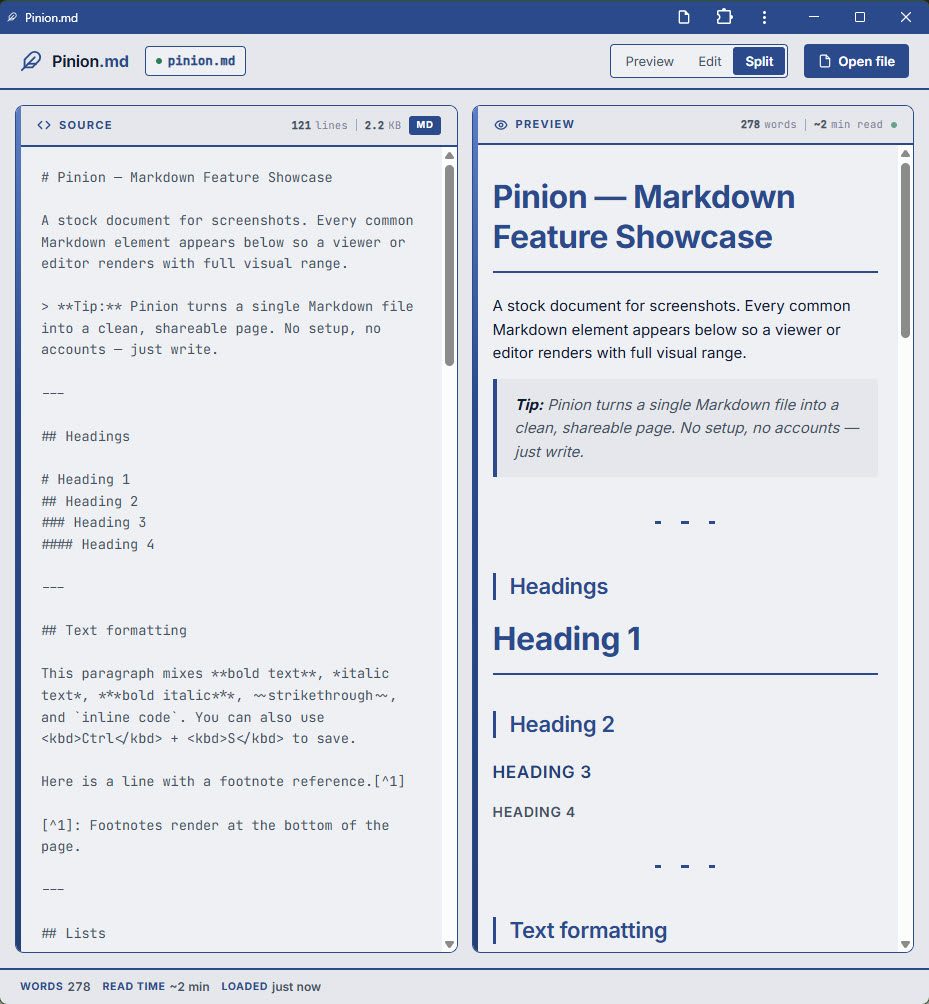
Most Markdown editors want you to live inside their app and their storage. Pinion.md works the other way: it reads and writes the Markdown files already on your disk, then gets out of the way.
What it does
- Three view modes: Preview, Edit, and Split.
- Opens, saves, and reloads files directly on your device via the File System Access API.
- Clean rendered output with syntax-highlighted code blocks.
- Runs in the browser as a PWA, installable and works offline once loaded.
- Nothing to sign up for and nothing uploaded. Your files stay on your disk and stay yours.
Also in there
Things the tool grew after launch: Mermaid diagrams, footnotes, a presentation mode, HTML export, an image lightbox, emoji shortcodes, heading anchors, per-file scroll memory, and auto-reload when a file changes on disk underneath you.
Who it's for
Anyone who keeps notes, docs, or drafts as .md files and wants a fast,
distraction-free way to read and edit them without importing into yet another app.
Status
Live, v1.6. Shipped May 2026 and updated since. Everything that used to be on the roadmap has landed: a light and dark theme toggle, recent files, drag-and-drop open, and in-file search. Find-and-replace is the one item still open. Want that sooner, or something else? Say so.
Questions
Where are my files stored?
On your own device. Pinion.md opens and saves through your browser's File System Access API; nothing is uploaded to a server. See the privacy policy.
Which browsers support it?
The File System Access API works in Chromium-based browsers (Chrome, Edge, Brave). In browsers without it, you can still preview, but save-to-disk may be limited.
Does it work offline?
Yes. It's a PWA with a cache-first service worker, so once it has loaded it keeps working without a connection.
Support & source
Questions, bugs, or feature ideas? Reach out. I reply fast.
Source code lives on GitHub.
Data handling is covered in the privacy policy.